This is Part 1 of the series "Web Development: From Zero to Production
Most beginners waste weeks "learning" HTML.
Not because HTML is hard - but because they're learning too much of the wrong stuff.
You don't need 100 tags.
You don't need to memorize syntax.
And you definitely don't need to master HTML before moving on.
In this post, I'll show you **exactly what HTML is, what actually matters, **and what you can safely ignore - so you can learn HTML in a day and move forward with confidence.
What HTML Actually Is
HTML stands for Hyper Text Markup Language - but don't overthink the name.
What matters is this:
HTML defines structure, not design.
HTML tells the browser:
- What is a heading
- What is a paragraph
- What is navigation
- What is content
HTML does not decide:
That's CSS and JavaScript's job.
HTML is simply a collection of elements that describe the structure of a page.
Structure
Every HTML page follows the same basic structure:
<!DOCTYPE html>
<html>
  <head>
    <title>Page Title</title>
  </head>
  <body>
    <h1>My First Heading</h1>
    <p>My first paragraph.</p>
  </body>
</html>
- DOCTYPE html tells the browser to use modern HTML standards
- html is the root element
- head contains metadata (not visible on the page)
- title defines the browser tab title
- body contains everything the user sees
The .html extension. You can name the file anything you want, but without
.html, the browser won't recognize it as a web page.
So What Is an HTML Element?
An HTML element consists of:
- A start tag
- Content
- An end tag
Syntax:
<tagname>Content goes here...</tagname>
Example:
<h2>My name is Monkey D Luffy </h2>
some elements don't have closing tags (img , br), but most do - and skipping them is bad practice.
Where Do You Write HTML ?
Use VS Code and a live server to preview your HTML.
THe tool doesn't matter.
Understanding HTML does.
And Start Coding!
How Browsers Actually Read HTML
HTML is just plain text.
Browsers don't use HTML directly - they parse it and convert it into the DOM.
DOM (Document Object Model) is a tree-like, in-memory representation of your HTML.
The DOM is what:
- CSS styles
- JavaScript manipulates
- Screen readers read
- Browsers render
If you understand the DOM early, CSS and JavaScript stop feeling "magical."
You'll know what you're styling and what you're manipulating.
Browsers parse HTML top to bottom, not all at once.
<h1>This is a heading</h1>
<p>This is a paragraph.</p>
<p>This is another paragraph.</p>
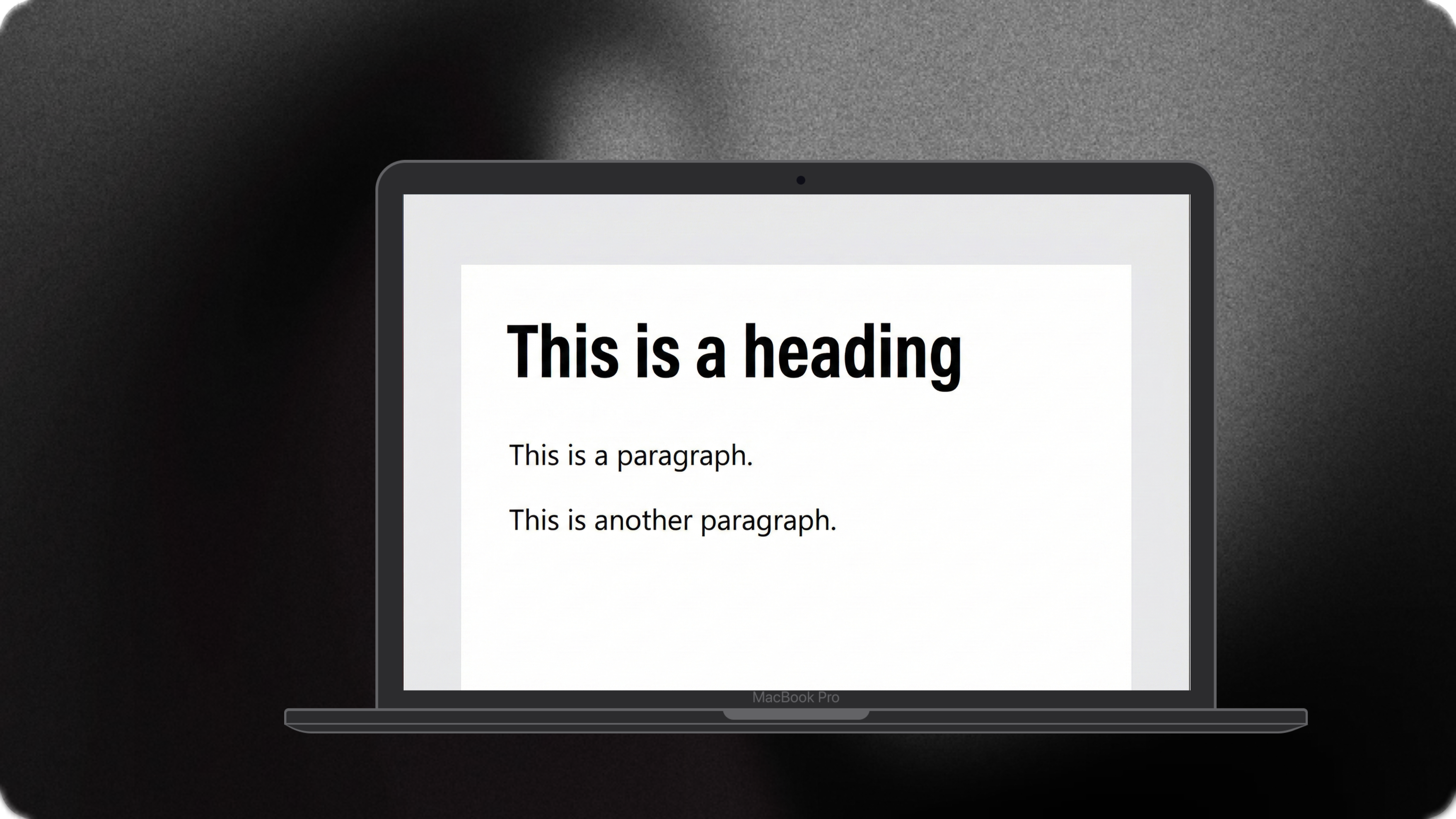
Browser sees:
- Heading → create node
- Paragraph → create node
- Paragraph → create node
Why Nesting Matters
Nesting defines relationships
<article>
  <h1>Blog Title</h1>
  <p>Content</p>
</article>
This tells the browser the heading and paragraph belong to the article.
Structure communicates meaning.
Semantic HTML is the difference between people who build websites and people who understand the web.
Core Semantic Elements
- html – root element of the document
- head -contains metadata
- body – visible content in a webpage
- header – contains logo, title, navigation
- main – primary content (one per page)
- footer – secondary info (copyright, links)
- section – grouped content with a heading
- article – reusable content (blog post, card)
About <div>
div is a generic, non-semantic container.
It means nothing.
It's just an empty box.
Using div instead of semantic tags is bad practice.
When you use semantic tags, you're telling:
- Browsers what the content is
- Search engines how to rank it
- Assistive tech how to read it
When you write:
<div class="header"></div>
The browser guesses.
When you write:
<header></header>
There is no guessing
Search engines don't see design.
They see structure.
Tags Used for Adding Content
- h1-h6 - headings (use in order)
- p - paragraphs
- a - links to another webpage(href)
<a href="https://www.amazon.in">Visit Amazon</a>``` 4. _img_ - display images
(src, alt) ```html <img src="image.png" alt="Image description" /> ``` 5.
_video_ - video playback 6. _audio_ - audio playback 7. _ul_, _ol_, _li_ - list
of items ```html
<!-- Unordered Lists -->
<ul>
  <li>Grapes</li>
  <li>Mango</li>
</ul>
<!-- Ordered Lists -->
<ol>
  <li>Luffy</li>
  <li>Zoro</li>
</ol>
1 form - form container used for contact forms, registration forms. 2. input - user input 3. label - input description 4. button - actions 5. textarea - long text 6. select / option - dropdown lists
- title - page title & SEO
- meta - charset, viewport, SEO hints
- link - external resources (CSS, icons)
- script - JavaScript (behavior layer)
- table - table container
- tr - defines a single table row
- th - defines a header cell
- td - defines a data cell
- thead - header group
Accessibility Basics (Don't Skip This)
Accessibility is not optional.
It's part of writing good HTML.
- Always use alt for images
- Always pair label with inputs
- Use headings correctly
Heading hierarchy:
- h1 - main topic (one per page)
- h2 - major sections
- h3 - subsections
Buttons give you:
- Keyboard support
- Focus states
- Default accessibility
A clickable <div> gives you none.
Common Beginner Mistakes
1. Div Soup
<div class="nav">
  <div class="header">
    <div class="content"></div>
  </div>
</div>
That's not structure - that's avoidance.
2. Skipping Semantics
"It still works" isn't a standard.
This hurts:
- Accessibility
- SEO
- Maintainability
3. Random Nesting
<div>
  <div>
    <div>
      <section></section>
    </div>
  </div>
</div>
No hierarchy. No intent.
4. Thinking HTML Is Too Basic
This is the most dangerous mistake.
Easy to write ≠ easy to master.
Real skill shows in:
- Clean structure
- Correct semantics
- Minimal markup
If HTML feels beneath you - you don't understand it yet.
Brutal Truth (But Fair)
Every senior developer can spot beginner HTML in seconds.
Not by how it looks - but by how it's structured.
Mastering HTML:
- Simplifies CSS
- Cleans JavaScript
- Improves performance & accessibility
What You Can Ignore (Yes, Ignore)
- Rare tags you'll never use
- HTML-only obsession
- Memorizing tag lists
HTML mastery comes from using it, not studying it.
What to Do After This
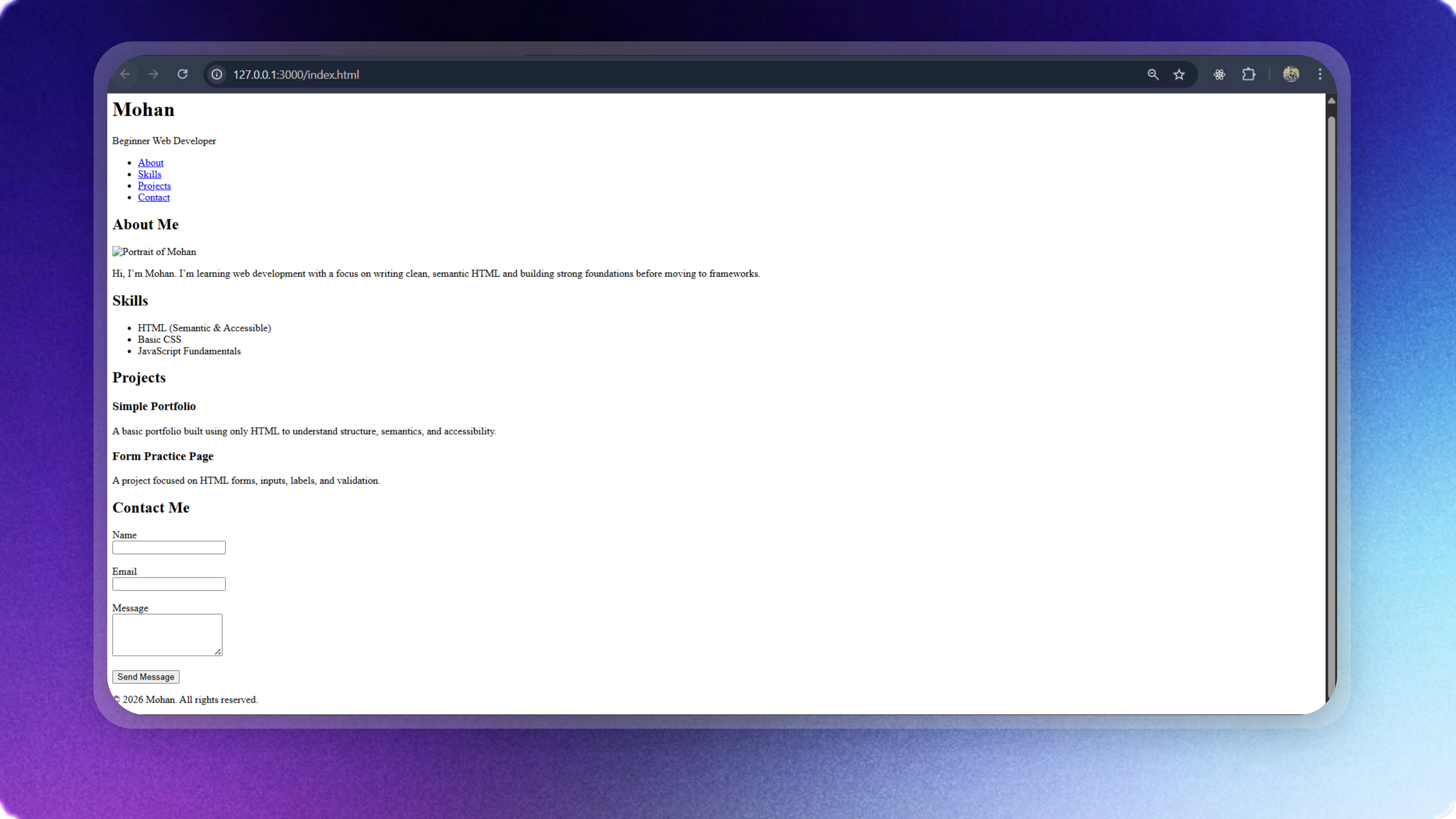
Build a full page using only HTML. No CSS.
Use:
- Semantic structure
- Forms
- Lists
- Media
- Accessibility
Example:
<!DOCTYPE html>
<html lang="en">
<head>
<meta charset="UTF-8" />
<meta name="viewport" content="width=device-width, initial-scale=1.0" />
<title>Ayan | Web Developer</title>
</head>
<body>
<header>
<h1>Ayan</h1>
<p>Web Developer</p>
<nav>
<ul>
<li><a href="#about">About</a></li>
<li><a href="#skills">Skills</a></li>
<li><a href="#projects">Projects</a></li>
<li><a href="#contact">Contact</a></li>
</ul>
</nav>
</header>
<main>
<section id="about">
<h2>About Me</h2>
<article>
<img src="profile.png" alt="Portrait of Ayan" width="200" />
<p>
Hi, I'm Luffy. I'm learning web development with a focus on clean,
semantic HTML before moving to frameworks.
</p>
</article>
</section>
<section id="skills">
<h2>Skills</h2>
<ul>
<li>HTML (Semantic & Accessible)</li>
<li>Basic CSS</li>
<li>JavaScript Fundamentals</li>
</ul>
</section>
<section id="projects">
<h2>Projects</h2>
<article>
<h3>Simple Portfolio</h3>
<p>Built using only HTML to understand structure.</p>
</article>
<article>
<h3>Form Practice Page</h3>
<p>Focused on inputs, labels, and validation.</p>
</article>
</section>
<section id="contact">
<h2>Contact Me</h2>
<form>
<label for="name">Name</label><br />
<input id="name" type="text" required /><br /><br />
<label for="email">Email</label><br />
<input id="email" type="email" required /><br /><br />
<label for="message">Message</label><br />
<textarea id="message" rows="4"></textarea><br /><br />
<button type="submit">Send Message</button>
</form>
</section>
</main>
<footer>
<p>© 2026 Luffy. All rights reserved.</p>
</footer>
</body>
</html>
Output:
What's Next?
HTML gives structure.
CSS gives life.
Next in this series:
👉 CSS in 4 Days: The Only Roadmap Beginners Actually Need
Don't stay stuck.
Move.